FAQ
Frequently asked questions about AI photo processing
Learn how quality levels work, why the source photo affects the result, when to choose a higher quality level and how long source images and generation results are stored.
Quality comparison
How quality level 1 differs from quality level 4
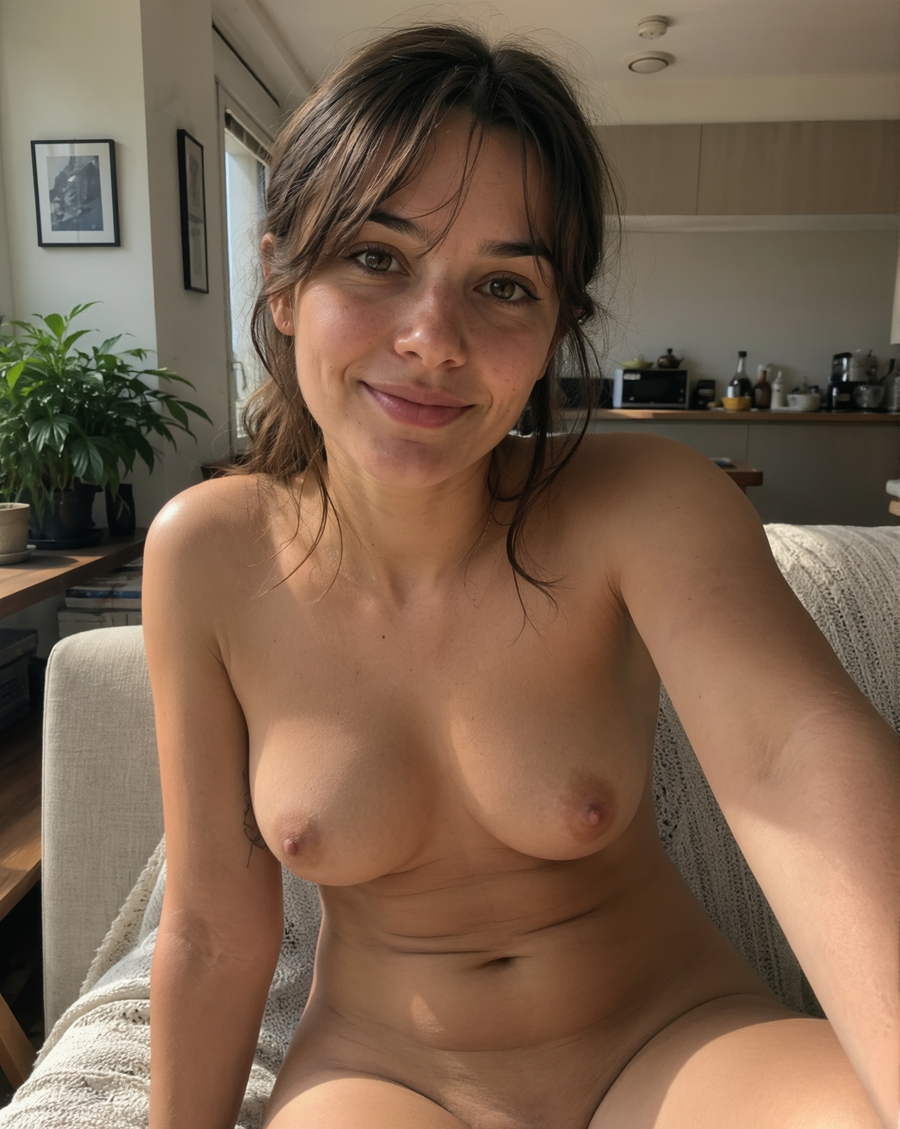
Move the slider across a close-up crop of the image: the left side shows the faster quality level, while the right side shows deeper processing. Higher quality usually improves skin detail, body shadows, natural folds, breast shape and subtle light transitions, so the result looks less doll-like and less over-smoothed.
Quality level 1
Faster and cheaper. Useful for simple shots, quick tests or photos where the source image is already easy to interpret.
Quality level 4
Better for most real photos: more computation, cleaner anatomical detail, softer body shadows and less plastic-looking smoothness.
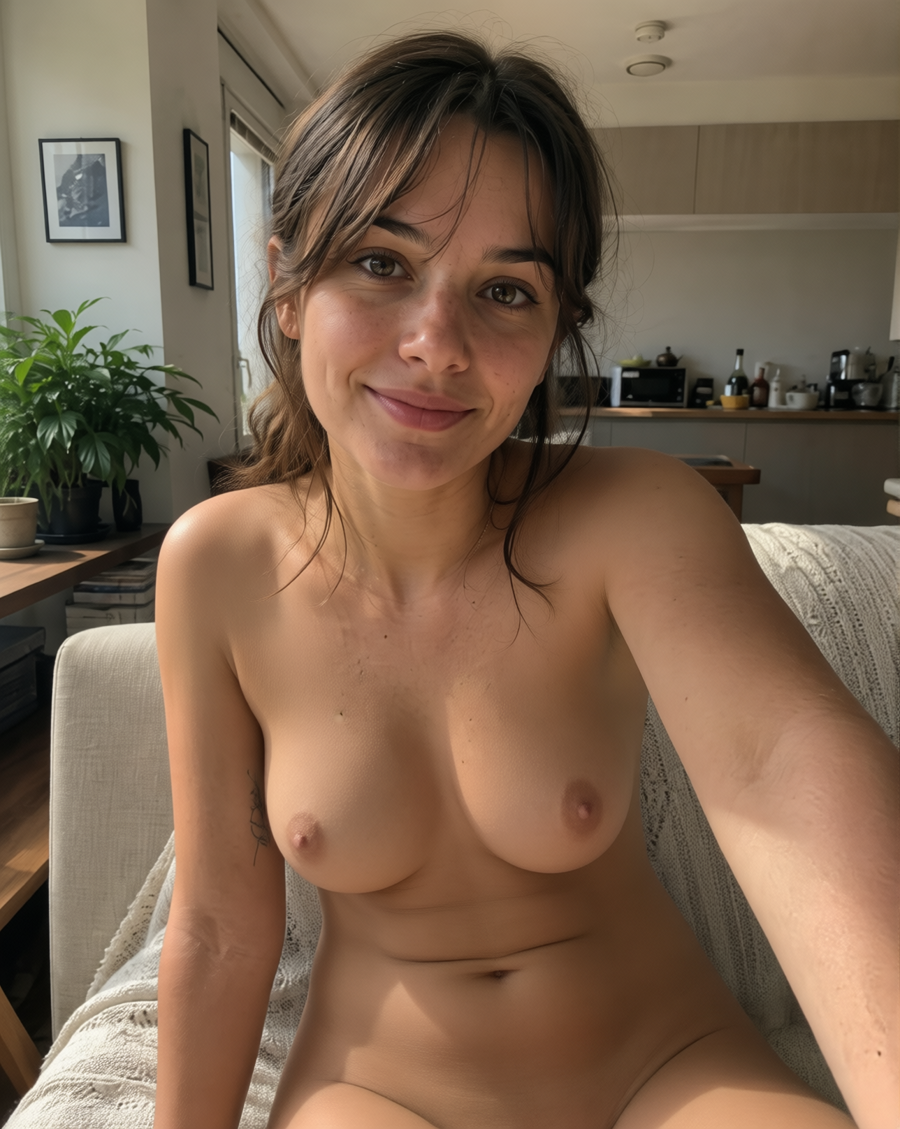
Quality 1
Quality 4
↔
Why are there different generation quality levels?
Different quality levels exist because photos vary in complexity. A simple photo with an open pose, good lighting and minimal clothing can produce a good result even at a low quality level. Complex photos require more computation: the model spends more steps analyzing the image, preserving details and producing a cleaner result.
How does quality level affect the result?
Quality level affects processing depth and the number of computational steps. A higher level uses more time and resources. It may improve result stability, detail, contour accuracy, pose preservation and handling of difficult image areas. However, a high quality level does not guarantee a perfect result if the source photo is too poor or ambiguous.
What photos are easy to process?
Easy photos usually show the person clearly, with an open pose, no major occlusions from hands, objects or other people, simple clothing, transparent or minimal underwear and even lighting. Such images often produce good results at low or medium quality levels.
Which photos should use a high quality level?
A high quality level is better for complex images: multiple people, dense or layered clothing, closed poses, crossed arms or legs, complex backgrounds, poor lighting, heavy compression, low resolution, mirrors, unusual angles or partial body occlusion. In these cases, higher quality helps the model interpret the scene more reliably.
Why does the source photo quality matter so much?
The AI model can only work with the information available in the source image. If the photo is sharp, well-lit and high enough in resolution, the model can preserve pose, proportions, contours and details more reliably. If the image is blurry, dark, compressed, small or noisy, the result may be less stable even at a high quality level.
How does the person’s pose affect generation?
Open and clear poses are usually processed better. If hands, hair, bags, furniture or other objects cover the body, the model has less information and may make mistakes in shape, proportions or details. The more complex the pose and camera angle, the more useful a higher quality level becomes.
What happens if there are multiple people in the photo?
Photos with multiple people are harder for AI processing because the model must preserve the composition, poses, body overlaps, distance between people, background and details of each person at the same time. For group photos, a higher quality level is recommended, especially when people stand close together, overlap or wear different clothing.
How long are source files and results stored?
We store source images and generation results for no more than 7 days. This allows you to open your history, view the result, download the finished file and contact support if something goes wrong.
What happens to files after 7 days?
After 7 days, source materials and generation results are permanently deleted on schedule. Temporary links stop working after deletion, and the files cannot be restored. Download any result you need before the retention period expires.
How can I get the best result?
Use clear photos with good lighting, decent resolution and an understandable pose. Avoid heavy blur, dark images, dense layered clothing, complex occlusions and very small images. For simple photos, lower quality levels may be enough; for complex ones, use quality level 4 or 5.